Everyone knows how important it is to keep the files on your desktop, laptop or mobile device safe and secure. With all your photos, personal and work documents and other files stored across multiple devices, stopping people getting access to those files is very important.
When you have file encryption set up on your devices, it's very important that you don't forget the password or lose any recovery keys that are created as part of the setup. Having the files encrypted means that without the correct key, no one can access them, even if that's the rightful owner so do please be very careful.
Windows 10
The built in encryption tool in Windows 10 is called BitLocker and you set it up with the following simple steps (please note that BitLocker isn't compatible with all PCs and all versions of Windows 10).
The first step is to open the Manage BitLocker option in Control Panel, the easiest way to do this is to click on the Start button, type in BitLocker and then click on Manage BitLocker in the results.
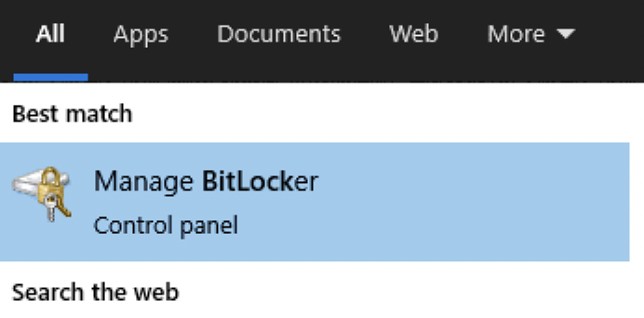
Once you open this, you should see the below window, all you need to do is click on Turn on BitLocker and then follow the steps to store your recovery details, just in case you ever forget your login password.
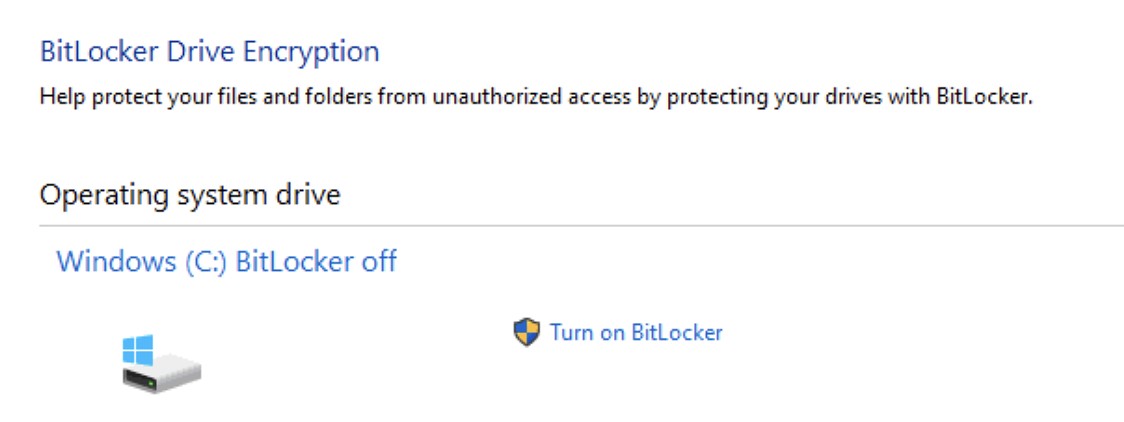
Once you've switched on BitLocker, your PC will restart and the encryption process will begin. You can use your PC as normal once you've restarted.
macOS
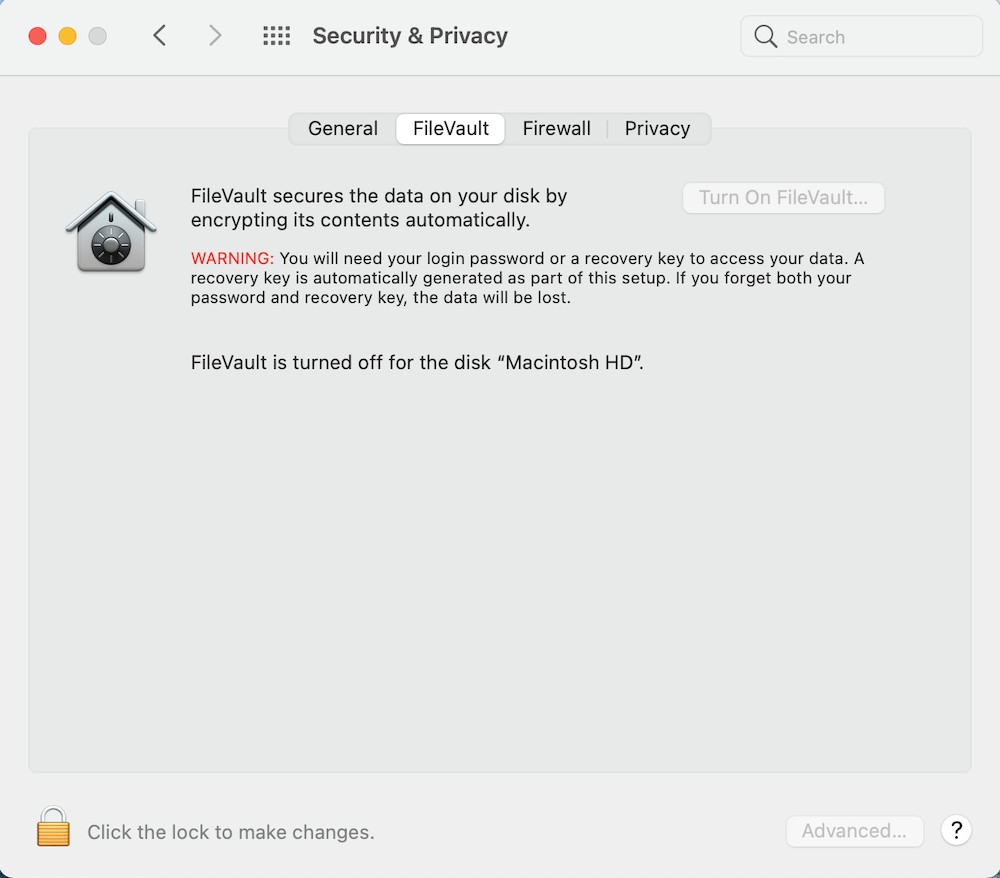
macOS has a very similar set up process, the Apple encryption system is called FileVault and works just the same as the Windows equivalent.
To set up FileVault, open System Preferences and click on the Security & Privacy icon and then click on the FileVault tab across the top of that window. If the Turn On FileVault button is greyed out as it is here, then you just need to click on the padlock at the bottom right of the window and authenticate with your login password.
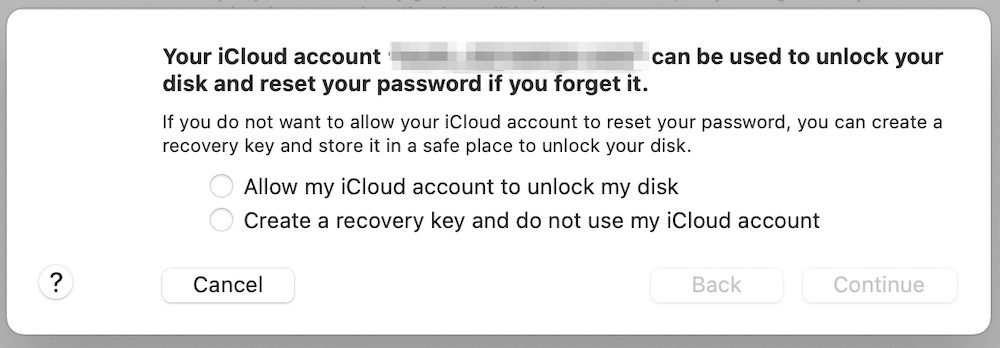
Once you've clicked on Turn On FileVault , you'll see the below message telling you that you can use your iCloud account as a recovery key in case you forget your password. As long as your iCloud account is protected with a strong password and maybe even has 2FA set up, you can use iCloud as a recovery option.
If you'd rather not link them, you can elect to create a recovery key instead and you'll see this once you click continue, please make a safe note of this recovery key as it's the only way back into your Mac if you forget your login password.
Once you've clicked on Continue, your Mac will restart and the encryption will begin. You can use your Mac as normal once it's rebooted and the encryption will carry on in the background.
One important thing to note is that you cannot set your Mac to log in automatically when you have FileVault switched on, you always have to enter your password as this is the key to unlock the disk and get to your files.
iPhone / iPad
It's even easier to encrypt your iPhone or iPad, all you need to do is make sure you have a passcode set up on your device, as soon as you do this your device is encrypted.
To do this, go into the Settings app on your device, scroll down and tap on Face ID/Touch ID & Passcode and then follow the prompts to set up a passcode.
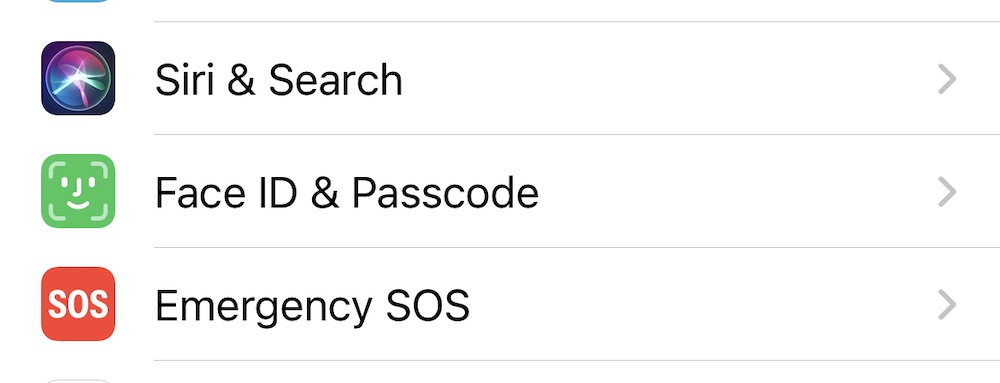
As soon as the passcode is set, your device is encrypted and secure. Please do remember again that if you forget the password, you could lose access to your device and your files so please ensure that you
have a backup set up as well.
Android
Device encryption on Android can depend on the version of Android that you're running and the device you're using and some newer devices might already be encrypted out of the box.
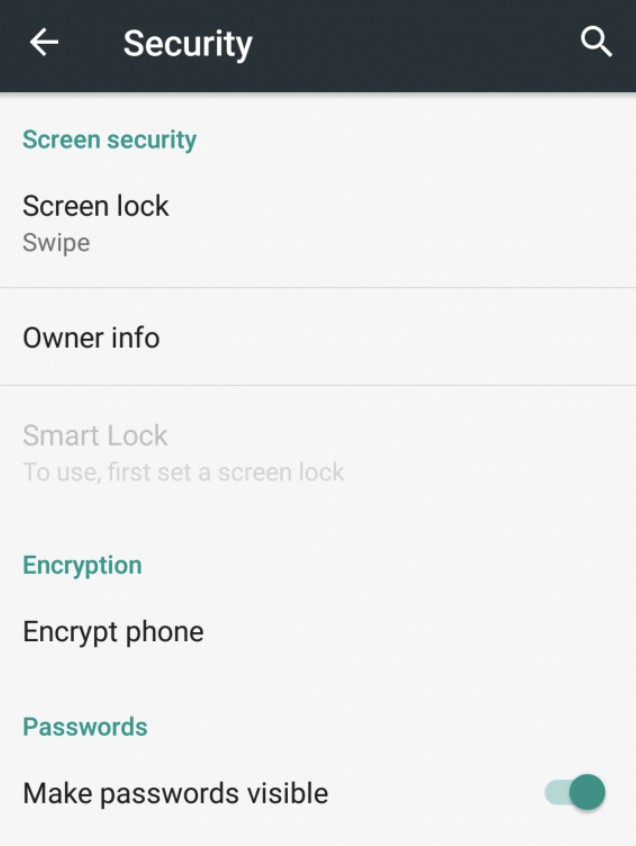
To check on the encryption status, go into the Settings menu, then tap on Security and you'll see the screen below. If your device is already encrypted then you don't need to do anything. If you're not already encrypted then just tap on Encrypt phone and you'll be presented with a few screens explaining how encryption works and what precautions you need to take (as described throughout this tip) and then the process will start.
Once your devices are encrypted, you're a lot better protected if you lose your device or it gets stolen. Without your passcode or password, all the files on your device are secure and can't be accessed by anyone else.