

Thanks very much, my Word files open in the twinkling of an eye now rather than taking enough time to make a cup of coffee!


If you're going to the cinema, into a meeting or running a presentation, you'll need to quickly silence your devices and stop any notifications popping up on the screen. This is usually just one or two taps or clicks and we'll run through all the ways to do it here.
Mac OS
On macOS, you can toggle Do Not Disturb from the notification bar so bring up the bar by clicking on the icon in the menubar.
Now swipe down with two fingers and you'll see the option to turn on Do Not Disturb. Switch this on and the Mac won't make any notification noises or show any alerts on the screen until you either turn it off or until the next day.
Windows 10
To activate Quiet Hours on Windows 10, simply click on the notification icon at the end of the task bar.
You'll now have access to several different options, click on Quiet Hours to switch on Do Not Disturb. When you want to turn it off, simply click on the icon again.

iOS
On iOS, just swipe down from the top right of the screen to bring up Control Centre.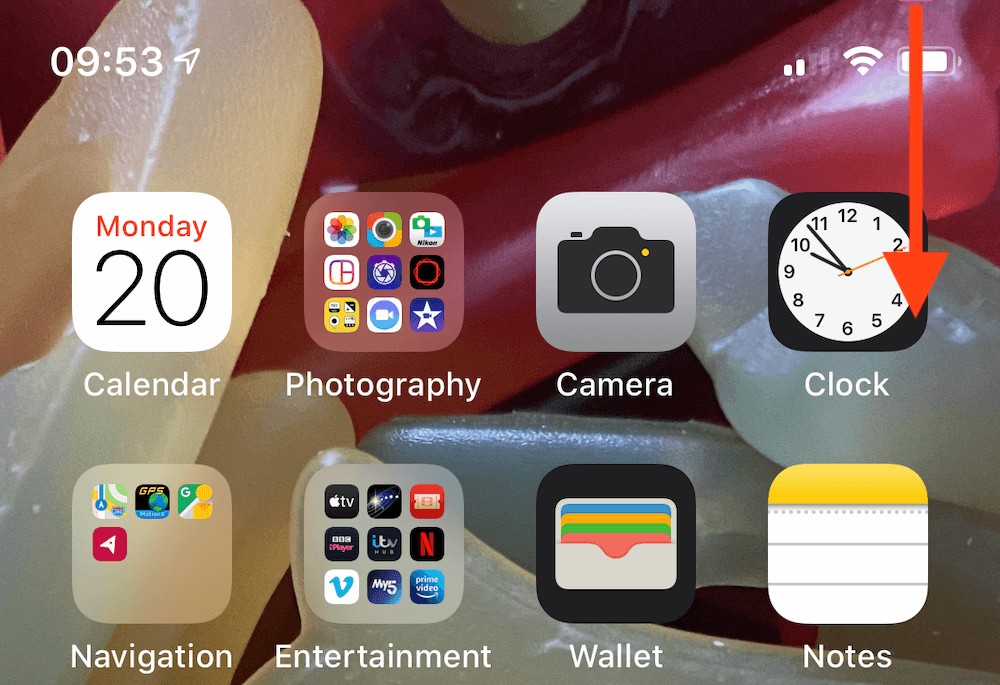
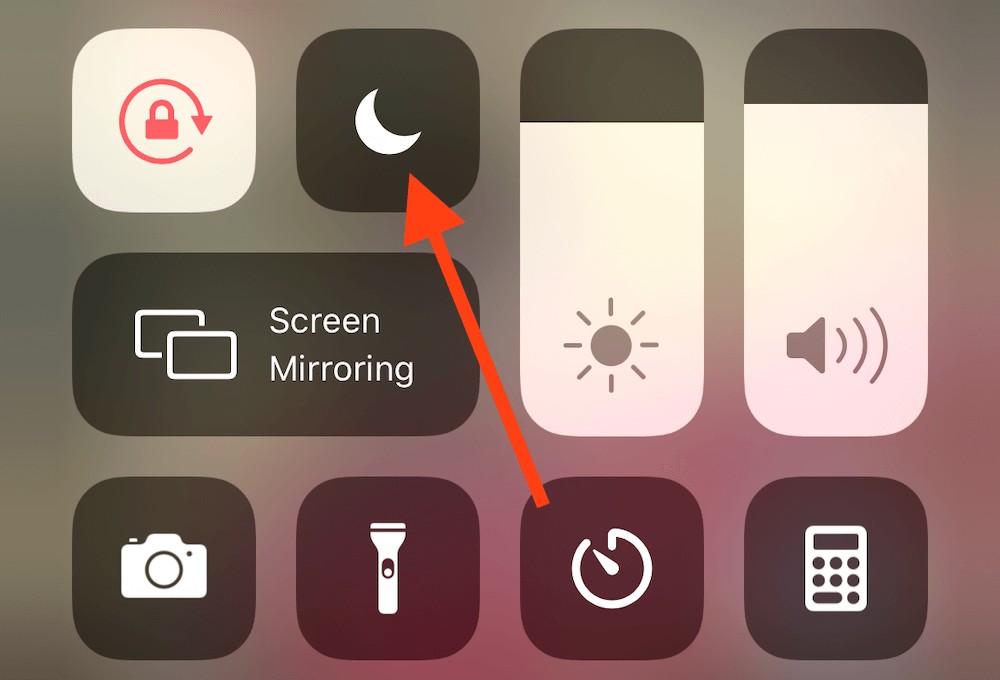
To switch on Do Not Disturb on Android, just swipe down from the top of the screen.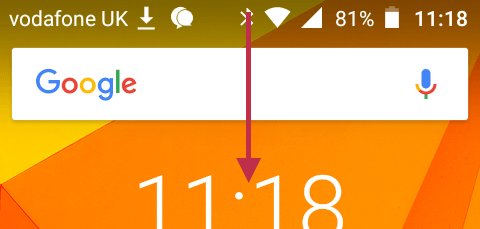
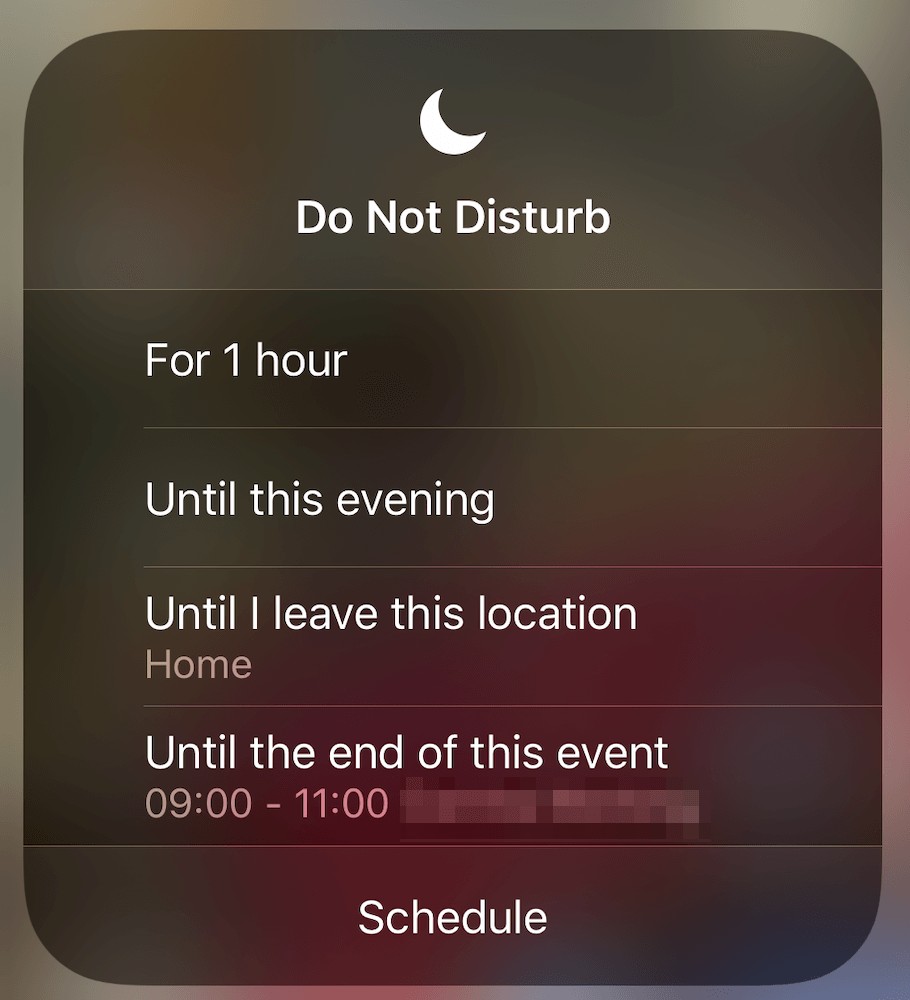
Then tap on Do Not Disturb.
You can now choose how long Do Not Disturb is on for, when you've chosen your options, tap on done.
FEATURED PRODUCTS








Featured Product
Why not follow us?


Tekeez support both PC/Windows users and Mac users equally, so whether you have a Mac or a PC we can help.
Tekeez are proud to have been providing legendary IT Superhero services and support for 30 years, since 1994.
Why not try our services and discover the secret of our success?






© 1994-2026 EuroSolve Ltd - Tekeez® is a registered trademark and brand of EuroSolve Ltd
0333 023 0001.
0333 023 0001.
Tekeez® Caerphilly:
Britannia House • Caerphilly Business Park • Van Road • Caerphilly • CF83 3GG
Tekeez® Oxford:
Prama House • 267 Banbury Road • Oxford • OX2 7HT