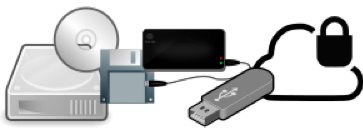
- I have an SSD and they're much more reliable?
- All my important information is on a USB stick?
- Everything I have is on an external hard drive?
- All my files are in the cloud?
- All my files are stored on a file server in the office?
The answer to all the above questions is yes! You still need to ensure that everything is backed up no matter how or where you store it. Unfortunately there's no such thing as a perfect storage device and at some point everything will fail.
In the case of USB sticks and SSDs, you may not even get any warning that they're about to fail. Standard hard drives will often become slow and start making odd noises before they fail completely but solid state devices very rarely give you these warnings.
Usually you'll just turn your SSD equipped computer on or plug in your USB stick and find that it's completely dead. If that was your only copy of your data you are now looking at a very expensive specialist data recovery job and in the case of some SSDs, it may not be possible to get the data back at all if it's encrypted by the drive itself.
If you keep all your data on an external drive, again that drive will fail at some point in its life. Also, because external hard drives tend to be moved around there's more chance of them getting damaged and despite outward appearances external hard drives are still very fragile devices and a knock or bump at the wrong time can cause a lot of problems.
A better option is to keep all the data on the computer itself and then use the external backup to keep a regular backup of the computer and all your data.
If your computer is short on storage space and you're using the external drive to make up for this then you really do need to ensure that the external disk is backed up as well and there are various ways to do this so please get in touch and we'll help you get set up.
If all your files are stored in the cloud in a service such as Dropbox, iCloud or OneDrive then you have already taken a great step in ensuring that you have good reliable offsite backups. However it's still important to have a local backup in case you can't get online when you need to recover a file. It could take days to download all your photos, music etc from a cloud service but only a few hours to bring it all back from a local disk. Also if your preferred cloud service is having any downtime either due to maintenance or problems, you aren't stuck without your files, or if your cloud service closes down.
Lots of businesses and home users are using network attached file servers to keep all their files on, which easily allows different people to access the same files without having to share folders from their computers and also allows easy access to the same files from smartphones and tablets.
Ideally these should have at least two mirrored disks in so that you're protected against one of the drives failing as you have another identical copy and can easily swap over the faulty disk.
However you still have the potential issue of the file server itself failing and it's not unheard of for a file server to overheat or have an electrical issue and damage the disks as well. If this happens, even a mirrored copy of your files may be inaccessible, so make sure those are backed up as well.
Most modern file servers support uploading all the files on the server to a cloud service such as Amazon S3 or sometimes even Dropbox or OneDrive. This gives you another copy of your files that can be recovered if the worst happens.
However you store your files, the important thing to always remember is that you should always have at least two copies of every file (more if you want even greater protection). If you have a computer with your files on along with an external hard disk with a copy of those files and a automatic cloud backup then this gives you three copies of all your data and keeps one of these copies in a completely different location so that you're even protected against fire or theft.
We here at Tekeez use the following backup method which although some may consider overkill, we feel it gives us the best protection possible; we all have backup drives permanently connected to our computers which back up every hour, we then have two extra external disks that get connected on alternate Fridays, one of these disks is kept close to hand and the other is placed in secure offsite storage.
The disks are then swapped around the following Friday so there's always two backups close to the office and one backup in a completely different location.
In addition to this most of our important files are stored in cloud services which sync automatically thereby keeping another copy offsite and all our email is in either IMAP or Exchange accounts which store all the email on the email server so again, it's another copy in case anything happens.
If you'd like to discuss your backups and how you can ensure that they're as thorough as possible, please get in touch and we'll come up with a backup plan to make sure you don't lose anything important.